Search This Blog

Showing posts with label Oracle Net Configuration. Show all posts

Thursday, August 25, 2011

Oracle 11gr2 + ORA-12514: TNS:listener does not currently know of service requested in connect

Today i received email from one user regarding the below email.
He installed oracle 11gr2 on windows machine after that from client machine when he is trying to connect then getting following message

ORA-12514: TNS:listener does not currently know of service requested in connect descriptor
below is the output of LISTENER.ORA and LSNRCTL status/services
# listener.ora Network Configuration File: C:\app\Administrator\product\11.2.0\dbhome_1\network\admin\listener.ora
# Generated by Oracle configuration tools.

SID_LIST_LISTENER =
  (SID_LIST =
    (SID_DESC =
      (SID_NAME = CLRExtProc)
      (ORACLE_HOME = C:\app\Administrator\product\11.2.0\dbhome_1)
      (PROGRAM = extproc)
      (ENVS = "EXTPROC_DLLS=ONLY:C:\app\Administrator\product\11.2.0\dbhome_1\bin\oraclr11.dll")
    )
    (SID_DESC =
      (SID_NAME = CLRExtProc)
      (ORACLE_HOME = C:\app\Administrator\product\11.2.0\dbhome_1)
      (PROGRAM = extproc)
      (ENVS = "EXTPROC_DLLS=ONLY:C:\app\Administrator\product\11.2.0\dbhome_1\bin\oraclr11.dll")
    )
  )

LISTENER =
  (DESCRIPTION_LIST =
    (DESCRIPTION =
      (ADDRESS = (PROTOCOL = TCP)(HOST = test)(PORT = 1521))
      (ADDRESS = (PROTOCOL = IPC)(KEY = EXTPROC1521))
    )
  )

ADR_BASE_LISTENER = C:\app\Administrator

C:\>lsnrctl status

LSNRCTL for 32-bit Windows: Version 11.2.0.1.0 - Production on 25-AUG-2011 15:19
:18

Copyright (c) 1991, 2010, Oracle.  All rights reserved.

Connecting to (DESCRIPTION=(ADDRESS=(PROTOCOL=TCP)(HOST=test)(PORT=1521)))
STATUS of the LISTENER
------------------------
Alias                     LISTENER
Version                   TNSLSNR for 32-bit Windows: Version 11.2.0.1.0 - Produ
ction
Start Date                25-AUG-2011 15:12:27
Uptime                    0 days 0 hr. 6 min. 50 sec
Trace Level               off
Security                  ON: Local OS Authentication
SNMP                      OFF
Listener Parameter File   C:\app\Administrator\product\11.2.0\dbhome_1\network\a
dmin\listener.ora
Listener Log File         c:\app\administrator\diag\tnslsnr\test\listener
\alert\log.xml
Listening Endpoints Summary...
  (DESCRIPTION=(ADDRESS=(PROTOCOL=tcp)(HOST=test)(PORT=1
521)))
  (DESCRIPTION=(ADDRESS=(PROTOCOL=ipc)(PIPENAME=\\.\pipe\EXTPROC1521ipc)))
  (DESCRIPTION=(ADDRESS=(PROTOCOL=tcp)(HOST=127.0.0.1)(PORT=1521)))
Services Summary...
Service "CLRExtProc" has 1 instance(s).
  Instance "CLRExtProc", status UNKNOWN, has 2 handler(s) for this service...
Service "test" has 1 instance(s).
  Instance "test", status READY, has 1 handler(s) for this service...
Service "testXDB" has 1 instance(s).
  Instance "test", status READY, has 1 handler(s) for this service...
The command completed successfully

C:\>lsnrctl services

LSNRCTL for 32-bit Windows: Version 11.2.0.1.0 - Production on 25-AUG-2011 15:22
:18

Copyright (c) 1991, 2010, Oracle.  All rights reserved.

Connecting to (DESCRIPTION=(ADDRESS=(PROTOCOL=TCP)(HOST=test)(PORT=1521)))
Services Summary...
Service "CLRExtProc" has 1 instance(s).
  Instance "CLRExtProc", status UNKNOWN, has 2 handler(s) for this service...
    Handler(s):
      "DEDICATED" established:0 refused:0
         LOCAL SERVER
      "DEDICATED" established:0 refused:0
         LOCAL SERVER
Service "test" has 1 instance(s).
  Instance "test", status READY, has 1 handler(s) for this service...
    Handler(s):
      "DEDICATED" established:21 refused:0 state:ready
         LOCAL SERVER
Service "testXDB" has 1 instance(s).
  Instance "test", status READY, has 1 handler(s) for this service...
    Handler(s):
      "D000" established:0 refused:0 current:0 max:1022 state:ready
         DISPATCHER {machine: TEST-SERVER, pid: 5532}
         (ADDRESS=(PROTOCOL=tcp)(HOST=test)(PORT=2514))
The command completed successfully
Solution
Rename the current listener.ora file with listener.ora.old
and create new listener file and paste the following contents.
NOTE: replace HOST and SERVICE_NAME as per your environment.

 # listener.ora Network Configuration File: C:\app\Administrator\product\11.2.0\dbhome_1\network\admin\listener.ora
# Generated by Oracle configuration tools.

SID_LIST_LISTENER=
        (SID_LIST =
                     
                (SID_DESC =
                        (GLOBAL_DBNAME=test)
                        (ORACLE_HOME = C:\app\Administrator\product\11.2.0\dbhome_1)
                        (SID_NAME = test)
                )
                )
                )

LISTENER =
  (DESCRIPTION_LIST =
    (DESCRIPTION =
      (ADDRESS = (PROTOCOL = IPC)(KEY = EXTPROC1521))
      (ADDRESS = (PROTOCOL = TCP)(HOST = test)(PORT = 1521)                                                                             )
    )
  )

Friday, July 17, 2009

ORA-3136 WARNING : Inbound Connection Timed Out in alert log


In our one of the production database is saw the following error

ORA-3136 WARNING : Inbound Connection Timed Out in alert log

Solution:
SQLNET.INBOUND_CONNECT_TIMEOUT=60

Add the above line in the SQLNET.ORA in SERVER.

INBOUND_CONNECT_TIMEOUT_LISTENER = 110
Add the above line in the LISTENER.ORA in SERVER.


Reference metalink note: 793259.1 & 465043.1

Monday, June 16, 2008

ORA-12516

Last couple of days i faced strange problem with our development database.

We are getting following error when trying to connect to database with TNS_ENTRY

ORA-12516: TNS:listener could not find available handler with matching protocolstack

When i check ALERTSID.LOG file i am getting following entry

Mon Jun 16 09:36:01 2008

Process q000 started up but failed with error = 20

Mon Jun 16 09:57:55 2008

Process q000 started up but failed with error = 20

Mon Jun 16 10:02:01 2008

Timed out trying to start process J000.

Mon Jun 16 10:02:02 2008

kkjcre1p: unable to spawn jobq slave process

Mon Jun 16 10:02:02 2008

Errors in file d:\oracle\product\10.1.0\admin\bdump\oramfe_cjq0_3328.trc:

Timed out trying to start process J000.

according error message i search on metalink and found to increase

job_queue_processes parameter from default value 10 to 20 but after that the problem is not solved.

after that i checked without TNS_ENTRY and found below error message

SQL> conn scott/tiger

ERROR:ORA-00020: maximum number of processes (%s) exceeded

then finally I increase PROCESSES parameter & change Listener Registration from DYNAMIC to STATIC then after problem solved.

How to change listener registration from DYNAMIC to STATIC see below link

http://dbataj.blogspot.com/2007/02/ora-12514.html

SQL> alter system set processes = 400 scope=spfile;


Thursday, May 3, 2007

ORA-28546,ORA-12152

Database Version : 10.1.0.2.0
OS Platform : Windows 2003


ALERT.LOG


Thu May 03 10:17:30 2007
Errors in file f:\ora10g_home\admin\oraname\udump\oraname_ora_5824.trc:


ORANAME_ORA_5824.TRC


FATAL ERROR IN TWO-TASK SERVER: error = 12152
*** 2007-05-03 10:17:30.580
ksedmp: internal or fatal error
Current SQL statement for this session:
...........

O/S info: user: FAK\M.taj, term: TRM, ospid: 3624:9720, machine: FAK\TRM
program: app.exe
application name: app.exe, hash value=0
last wait for 'SQL*Net break/reset to client' blocking sess=0x00000000 seq=32353 wait_time=8
driver id=54435000, break?=0, =0
Dumping Session Wait History
for 'SQL*Net break/reset to client' count=1 wait_time=8
driver id=54435000, break?=0, =0

..........


Check Metalink Note: 357557.1

Saturday, March 31, 2007

ORA-12170

ORA-12170: TNS:Connect timeout occurred

1.Firewall is disable.
2.configure sqlnet.inbound_connect_timeout in SQLNET.ORA file
3.if you install ORACLE EXPRESS EDITION then configure TNSNAMES.ORA file for specified SERVICE_NAME.


C:\>tnsping fak

TNS Ping Utility for 32-bit Windows: Version 10.2.0.1.0 - Production on 31-MAR-2
007 19:23:24

Copyright (c) 1997, 2005, Oracle. All rights reserved.

Used parameter files:
C:\oraclexe\app\oracle\product\10.2.0\server\network\admin\sqlnet.ora

Used HOSTNAME adapter to resolve the alias
Attempting to contact (DESCRIPTION=(CONNECT_DATA=(SERVICE_NAME=))(ADDRESS=(PROTO
COL=TCP)(HOST=192.168.100.106)(PORT=1521)))
TNS-12535: TNS:operation timed out

C:\>tnsping fak

TNS Ping Utility for 32-bit Windows: Version 10.2.0.1.0 - Production on 31-MAR-2
007 19:52:18

Copyright (c) 1997, 2005, Oracle. All rights reserved.

Used parameter files:
C:\oraclexe\app\oracle\product\10.2.0\server\network\admin\sqlnet.ora


Used TNSNAMES adapter to resolve the alias
Attempting to contact (DESCRIPTION = (ADDRESS_LIST = (ADDRESS = (PROTOCOL = TCP)
(HOST = 192.168.100.64)(PORT = 1521))) (CONNECT_DATA = (SERVICE_NAME = fak)))
OK (90 msec)


SQL> conn sys@fak as sysdba
Enter password:
ERROR:
ORA-12170: TNS:Connect timeout occurred


SQL> conn sys@fak as sysdba
Enter password:
Connected.
SQL>


Note: on my system i am install Oracle 10gr1 or Oracle XE. but service_name FAK i am just configure TNSNAMES.ORA file belong to Oracle 10gr1 instead of Oracle XE. WHEN i configure TNSNAMES.ORA file of Oracle XE and add service_name (FAK) PROBLEM SOLVE.

Wednesday, March 7, 2007

TNS-12545


C:\>lsnrctl status

LSNRCTL for 32-bit Windows: Version 10.1.0.2.0 - Production on 07-MAR-2007 10:33
:20

Copyright (c) 1991, 2004, Oracle. All rights reserved.

Connecting to (DESCRIPTION=(ADDRESS=(PROTOCOL=TCP)(HOST=alwarid-0a49914.fakhrudd
in.local)(PORT=1521)))
TNS-12545: Connect failed because target host or object does not exist
TNS-12560: TNS:protocol adapter error
TNS-00515: Connect failed because target host or object does not exist
32-bit Windows Error: 1004: Unknown error


Clause :
1.My computer name is taj not Oa49914.
C:\>hostname
taj

Suggestion :
1.Always use IP ADDRESS instead of COMPUTER NAME.
2.Change computer name Oa49914 to taj.


C:\>lsnrctl status

LSNRCTL for 32-bit Windows: Version 10.1.0.2.0 - Production on 07-MAR-2007 10:38
:27

Copyright (c) 1991, 2004, Oracle. All rights reserved.

Connecting to (DESCRIPTION=(ADDRESS=(PROTOCOL=TCP)(HOST=192.168.100.64)(PORT=152
1)))
STATUS of the LISTENER
------------------------
Alias LISTENER
Version TNSLSNR for 32-bit Windows: Version 10.1.0.2.0 - Produ
ction
Start Date 07-MAR-2007 10:38:19
Uptime 0 days 0 hr. 0 min. 10 sec
Trace Level off
Security ON: Local OS Authentication
SNMP OFF
Listener Parameter File C:\oracle\product\10.1.0\Db_1\network\admin\listener.o
ra
Listener Log File C:\oracle\product\10.1.0\Db_1\network\log\listener.log

Listening Endpoints Summary...
(DESCRIPTION=(ADDRESS=(PROTOCOL=tcp)(HOST=192.168.100.64)(PORT=1521)))
Services Summary...
Service "PLSExtProc" has 1 instance(s).
Instance "PLSExtProc", status UNKNOWN, has 1 handler(s) for this service...
The command completed successfully

C:\>

SQL> conn scott/tiger@orcl
Connected.

Sunday, March 4, 2007

ORA-12516,ORA-12519


TNS-12516 TNS:listener could not find instance with matching protocol stack
TNS-12519 TNS:no appropriate service handler found


Clause : Lower value of PROCESSES parameter.
Suggestion : Increase value of PROCESSES parameter.


Check LISTENER.LOG file also.

ORA-12500

ORA-12500: TNS:listener failed to start a dedicated server process

For Above error there is couple of reason check below point.

1.Oracle Services is start.
Windows > c:\>net start OracleService
Unix > $ps -ef | grep ora_smon


2.Listener Services is start.

3.Take a look on LISTENER.LOG file {%ORACLE_HOME%/network/log}

4.if you received WINEXEC FORMAT ERROR 8

C:\>net helpmsg 8

Not enough storage is available to process this command.

Contact OS vendor for more information.

5.Sometimes it is happen due to PGA RAM shortage on database.
You have to set below parameters.
pga_aggregate_target, sort_area_size and hash_area_size.

6.TNS-00517: Lost contact
32-bit Windows Error: 54: Unknown error
If your received above error
C:\>net helpmsg 54

The network is busy.


7.TNS-00507: Connection closed
32-bit Windows Error: 109: Unknown error

C:\>net helpmsg 109

The pipe has been ended.


8.Recreate OracleService service through ORADIM utility

ORADIM -DELETE -SID
ORADIM -NEW -SID


HOPE THIS HELPS
Taj

Wednesday, February 21, 2007

ORA-12162 "TNS:net service name is incorrectly specified

ORA-12162 "TNS:net service name is incorrectly specified

I recevied above error on my linux box.
Check TNSNAMES.ORA or LISTENER.ORA or SQLNET.ORA all files are fine nothing wrong.
the problem is i was not set ORACLE_SID.
so just set ORACLE_SID.


Linux
$export ORACLE_SID=
or run ORAENV
$./usr/local/bin/oraenv

----------------
Windows
x:\>set ORACLE_SID=

Monday, February 19, 2007

ORA-12528: TNS:listener: all appropriate instances are blocking new connections

ORA-12528: TNS:listener: all appropriate instances are blocking new connections
It is known issue with ORACLE 10G.

Suggestion: Don't Use "@(tns_entry string)" with userid/pwd.
just export or set ORACLE_SID and connect WITHOUT "@"tns_entry.


SQL> grant SYSDBA to system;

Grant succeeded.

SQL> conn system/oracle@oracle as sysdba
Connected.

SQL> STARTUP FORCE
ORA-12528: TNS:listener: all appropriate instances are blocking new connections

SQL> exit
Disconnected from Oracle Database 10g Enterprise Edition Release 10.1.0.2.0 - Pr
oduction
With the Partitioning, OLAP and Data Mining options

C:\>sqlplus sys as sysdba

SQL*Plus: Release 10.1.0.2.0 - Production on Mon Feb 19 17:13:20 2007

Copyright (c) 1982, 2004, Oracle. All rights reserved.

Enter password:

Connected to:
Oracle Database 10g Enterprise Edition Release 10.1.0.2.0 - Production
With the Partitioning, OLAP and Data Mining options

SQL> select status from v$instance;

STATUS
------------
STARTED

SQL> alter database mount;

Database altered.

SQL> alter database open;

Database altered.

SQL> conn system as sysdba
Enter password:
Connected.
SQL> SHOW PARAMETER DB_name

NAME TYPE VALUE
------------------------------------ ----------- ------------------------------
db_name string ORACLE
SQL> STARTUP FORCE
ORACLE instance started.

Total System Global Area 171966464 bytes
Fixed Size 787988 bytes
Variable Size 145488364 bytes
Database Buffers 25165824 bytes
Redo Buffers 524288 bytes
Database mounted.
Database opened.
SQL>


hope this helps
Taj

NL-00051: internal error code, arguments: [302], [1], [], [], [], [], []

NL-00051: internal error code, arguments: [302], [1], [], [], [], [], []

First Place to SEE LISTENER.ORA FILE.
Our Listener.ora file entry is not correct format that is why we receive above error.
#My wrong listener.ora file entry.

SID_LIST_LISTENER =
(SID_LIST =
(SID_DESC =
(SID_NAME = PLSExtProc)
(ORACLE_HOME = C:\oracle\product\10.1.0\Db_1)
(PROGRAM = extproc)
(SID_LIST =
(SID_NAME = oracle)
(ORACLE_HOME = C:\oracle\product\10.1.0\Db_1)
(PROGRAM = extproc)
)
)

LISTENER =
(DESCRIPTION_LIST =
(DESCRIPTION =
(ADDRESS_LIST =
(ADDRESS = (PROTOCOL = TCP)(HOST = 0a49914.domainname.local)(PORT = 1521))
)
(ADDRESS_LIST =
(ADDRESS = (PROTOCOL = IPC)(KEY = EXTPROC))
)
)
)


C:\>lsnrctl start

LSNRCTL for 32-bit Windows: Version 10.1.0.2.0 - Production on 19-FEB-2007 12:46
:43

Copyright (c) 1991, 2004, Oracle. All rights reserved.

Starting tnslsnr: please wait...

TNSLSNR for 32-bit Windows: Version 10.1.0.2.0 - Production
System parameter file is C:\oracle\product\10.1.0\Db_1\network\admin\listener.or
a
Log messages written to C:\oracle\product\10.1.0\Db_1\network\log\listener.log
Listening on: (DESCRIPTION=(ADDRESS=(PROTOCOL=tcp)(HOST=0a49914.domainname.local)(PORT=1521)))
Listening on: (DESCRIPTION=(ADDRESS=(PROTOCOL=ipc)(PIPENAME=\\.\pipe\EXTPROCipc)
))
NL-00051: internal error code, arguments: [302], [1], [], [], [], [], []

Listener failed to start. See the error message(s) above...


C:\>
#when we try to START LISTENER SERVICES every time received NL-00051 error.
edit listener.ora file like below ( remove above bold line from listener.ora file becuase it is wrong entry)


SID_LIST_LISTENER =
(SID_LIST =
(SID_DESC =
(SID_NAME = PLSExtProc)
(ORACLE_HOME = C:\oracle\product\10.1.0\Db_1)
(PROGRAM = extproc)
(SID_NAME = oracle)
(ORACLE_HOME = C:\oracle\product\10.1.0\Db_1)

)
)

LISTENER =
(DESCRIPTION_LIST =
(DESCRIPTION =
(ADDRESS_LIST =
(ADDRESS = (PROTOCOL = TCP)(HOST = 0a49914.domainname.local)(PORT = 1521))
)
(ADDRESS_LIST =
(ADDRESS = (PROTOCOL = IPC)(KEY = EXTPROC))
)
)
)


C:\>lsnrctl start

LSNRCTL for 32-bit Windows: Version 10.1.0.2.0 - Production on 19-FEB-2007 12:52
:30

Copyright (c) 1991, 2004, Oracle. All rights reserved.

Starting tnslsnr: please wait...

TNSLSNR for 32-bit Windows: Version 10.1.0.2.0 - Production
System parameter file is C:\oracle\product\10.1.0\Db_1\network\admin\listener.or
a
Log messages written to C:\oracle\product\10.1.0\Db_1\network\log\listener.log
Listening on: (DESCRIPTION=(ADDRESS=(PROTOCOL=tcp)(HOST=0a49914.domainname.local)(PORT=1521)))
Listening on: (DESCRIPTION=(ADDRESS=(PROTOCOL=ipc)(PIPENAME=\\.\pipe\EXTPROCipc)
))

Connecting to (DESCRIPTION=(ADDRESS=(PROTOCOL=TCP)(HOST=0a49914.domainname.local)(PORT=1521)))
STATUS of the LISTENER
------------------------
Alias LISTENER
Version TNSLSNR for 32-bit Windows: Version 10.1.0.2.0 - Produ
ction
Start Date 19-FEB-2007 12:52:30
Uptime 0 days 0 hr. 0 min. 0 sec
Trace Level off
Security ON: Local OS Authentication
SNMP OFF
Listener Parameter File C:\oracle\product\10.1.0\Db_1\network\admin\listener.o
ra
Listener Log File C:\oracle\product\10.1.0\Db_1\network\log\listener.log

Listening Endpoints Summary...
(DESCRIPTION=(ADDRESS=(PROTOCOL=tcp)(HOST=0a49914.domainname.local)(PO
RT=1521)))
(DESCRIPTION=(ADDRESS=(PROTOCOL=ipc)(PIPENAME=\\.\pipe\EXTPROCipc)))
Services Summary...
Service "PLSExtProc" has 1 instance(s).
Instance "PLSExtProc", status UNKNOWN, has 1 handler(s) for this service...
The command completed successfully

C:\>

Tuesday, February 13, 2007

Ora-12162 On linux after ORacle Installation

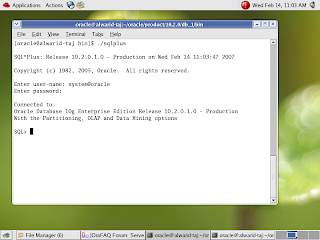
[oracle@alwarid-taj bin]$ ./sqlplus

SQL*Plus: Release 10.2.0.1.0 - Production on Tue Feb 13 19:17:55 2007

Copyright (c) 1982, 2005, Oracle. All rights reserved.

Enter user-name: system
Enter password:
ERROR:
ORA-12162: TNS:net service name is incorrectly specified

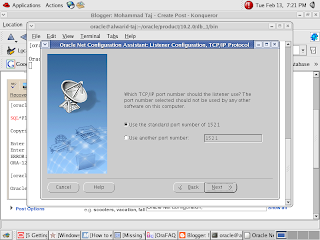
[oracle@alwarid-taj bin]$ ./netca

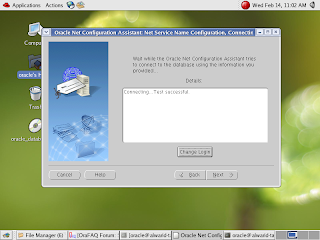
Oracle Net Services Configuration:


We have to configure LISTENER.ORA or TNSNAMES.ORA or SQLNET.ORA file. if files are not already created then we have to created.


SQLNET.ORA FILE


TNSNAMES.ORA


Saturday, February 10, 2007

ORA-28547

During Oracle Software Installation
Ora-28547 + Ora-24324 + Ora-01041
Suggestion :
Install Oracle Software with LOCAL ADMINISTRATOR A/C. instead of DOMAIN USER with ADMIN PRIVS.

During DBCA
edit sqlnet.ora file entry
sqlnet_authentication.services = (NONE)
instead of (NTS).

comment out starting line with PROGRAM in LISTENER.ORA file.
SID_LIST_KOREA =
(SID_LIST =
(SID_DESC =
(GLOBAL_DBNAME=korea)
(SID_NAME = KOREA)
(ORACLE_HOME = D:\oracle\product\10.2.0)
# (PROGRAM = extproc)
)
)

Thursday, February 8, 2007

ORA-12505

Reason When ORACLE_SID <> SERVICE_NAMES

My ORACLE_SID = db01
My SERVICE_NAMES = taj

SQL> select instance_name from v$instance;

INSTANCE_NAME
----------------
db01

SQL> show parameter service_names

NAME TYPE VALUE
------------------------------------ ----------- ------------------------------
service_names string Taj
SQL>

Take a look on my tnsnames.ora file
SQL> host type C:\oracle\product\10.1.0\Db_1\NETWORK\ADMIN\tnsnames.ora
# tnsnames.ora Network Configuration File: C:\oracle\product\10.1.0\Db_1\network
\admin\tnsnames.ora
# Generated by Oracle configuration tools.

TAJ =
(DESCRIPTION =
(ADDRESS = (PROTOCOL = TCP)(HOST = taj.domainname.local)(PORT = 1521
))
(CONNECT_DATA =
(SERVER = DEDICATED)
[B](SID = Taj)[/B]
)
)
SQL> conn system/oracle@taj
ERROR:
ORA-12505: TNS:listener does not currently know of SID given in connect
descriptor


Warning: You are no longer connected to ORACLE.
SQL> --edit my tnsnames.ora file from SID to SERVICE_NAME.
SQL> host type C:\oracle\product\10.1.0\Db_1\NETWORK\ADMIN\tnsnames.ora
# tnsnames.ora Network Configuration File: C:\oracle\product\10.1.0\Db_1\network
\admin\tnsnames.ora
# Generated by Oracle configuration tools.

TAJ =
(DESCRIPTION =
(ADDRESS = (PROTOCOL = TCP)(HOST = taj.domainname.local)(PORT = 1521
))
(CONNECT_DATA =
(SERVER = DEDICATED)
[B](SERVICE_NAME = Taj)[/B]
)
)

SQL> conn system/oracle@taj
Connected.

ORA-12514

ORA-12514: TNS:listener does not currently know of service requested in connect descriptor


One reason is default listener registration is DYNAMIC you have to change DYNAMIC to STATIC.
edit your listener.ora file like below

SID_LIST_LISTENER =
(SID_LIST =
(SID_DESC =
(SID_NAME = PLSExtProc)
(ORACLE_HOME = C:\oracle\product\10.1.0\Db_1)
(PROGRAM = extproc)
)
(SID_DESC =
(SID_NAME = orcl)
(ORACLE_HOME = C:\oracle\product\10.1.0\Db_1) )
)

C:\>LSNRCTL stop
C:\>REM WAIT FEW SECONDS
C:\>LSNRCTL start


--------------------------------------------------------------------------

Saturday, January 27, 2007

ORA-12638: Credential retrieval failed

1.Domain issue
When Server DOMAIN is different FROM client DOMAIN.

2.Password Change Issue
When 0S password is different FROM APPLICATION password.

3.NTS (Network Telephony Services)makes the Oracle client attempt to use your current Windows domain credentials to authenticate you with the Oracle server. This could fail for a couple of reasons:

- The Oracle server is not configured to support Windows authentication
- The credentials you use to login to your local machine are not sufficient to allow you to login to the server.

In my case, our Network Administrator had changed the password OS user, while rebooting the system, the Oracle popped up with the Credential Failure.

1.Replacing the line: NTS -----------> NONE (nts to none)

SQLNET.AUTHENTICATION_SERVICES= (NTS)

with

SQLNET.AUTHENTICATION_SERVICES= (NONE)

2. Install Oracle Client with LOCAL Administrator A/c.

Tuesday, January 2, 2007

ORA-12520

Oracle Version : 10.1.0.2.0
OS : Windows XP sp2
--------------------------------------------------
SQL> show parameter processes

NAME TYPE VALUE
------------------------------------ ----------- ------------------------------
processes integer 50


SQL> conn scott/tiger@test
ERROR:
ORA-12520: TNS:listener could not find available handler for requested type of
server


Clause : Process parameter value is LOW. we have to increase.
on Listner.log file
04-MAR-2007 10:23:38 * service_update * test * 0
04-MAR-2007 10:23:39 * (CONNECT_DATA=(SERVER=DEDICATED)(SERVICE_NAME=test)(CID=(PROGRAM=C:\oracle\product\10.1.0\Db_1\bin\sqlplus.exe)(HOST=0A49914)(USER=m.taj))) * (ADDRESS=(PROTOCOL=tcp)(HOST=192.168.100.64)(PORT=1199)) * establish * test * 12520
TNS-12520: TNS:listener could not find available handler for requested type of server


Lsnrctl services
Service "test" has 1 instance(s).
Instance "test", status READY, has 1 handler(s) for this service...
Handler(s):
"DEDICATED" established:29 refused:0 state:blocked
LOCAL SERVER

Suggestion:

1.You should wait for some minutes and try to connect.
( but it is temporary solution)
2.You should increase PROCESSES parameter values.
( increase PROCESSES parameter and SHUTDOWN + STARTUP DATABASE)


Oracle Version : 10.1.0.2.0
OS : Windows XP sp2
------------------------------------
Database configure in Shared Server Mode.
--------------------------------------------
SQL> show parameter dispatchers
NAME TYPE VALUE
------------------------------------ ----------- ------------------------------dispatchers string (PROTOCOL=TCP)
max_dispatchers integer

SQL> show parameter shared_servers
NAME TYPE VALUE
------------------------------------ ----------- ------------------------------max_shared_servers integer
shared_servers integer 1
------------------------------------------------------------------------------------------------
after change shared server = 0 then i got error "ora-12520".
SQL> alter system set shared_servers = 0;
System altered.

SQL> conn scott/tiger@sh
ERROR:ORA-12520: TNS:listener could not find available handler for requested type ofserver
C:\>lsnrctl services
Service "sh" has 1 instance(s).
Instance "sh", status READY, has 2 handler(s) for this service...
Handler(s):
"DEDICATED" established:0 refused:0 state:ready
LOCAL SERVER
"D000" established:3 refused:0 current:2 max:1002 state:blocked
DISPATCHER
(ADDRESS=(PROTOCOL=tcp)(HOST=taj.domainname.local)(PORT=3348))

-------------------------------------------------------------------
For above error you have to check configure two parameters.
1.Shared_servers
2.Dispatchers

SQL> alter system set shared_servers = 1;
System altered.
SQL> alter system set dispatchers = "(PROTOCOL=TCP)" ;
System altered.

Service "sh" has 1 instance(s).
Instance "sh", status READY, has 2 handler(s) for this service...
Handler(s):
"DEDICATED" established:0 refused:0 state:ready
LOCAL SERVER
"D000" established:4 refused:0 current:2 max:1002 state:ready
DISPATCHER
(ADDRESS=(PROTOCOL=tcp)(HOST=taj.domainname.local)(PORT=3348))
The command completed successfully