Search This Blog

Showing posts with label Oracle on LINUX. Show all posts

Wednesday, October 5, 2011

HOWTO add swap space on linux system

Step:
1. login to root user
su root

2. create swap file for desired size
dd if=/dev/zero of=/swapfile1 bs=1024 count=524288

NOTE: bs = size in bytes and count = ( bs * desired space)
if you want to increase 1g then count will calculate in following way
1024 * 1024 = 1048576

3. setup linux swap area
# mkswap /swapfile1

4. Activiate swapfile space
# swapon /swapfile1

5. check "free-m" command on # prompt
$ free -g


Friday, September 30, 2011

you don't have sufficient privileges to write to the specified path in component Database Configuration Assistant 9.2.0.1.0 installation cannot continue for this component

While installing oracle 9204 on linux then getting following message after selection of installation type at privileged system group screen.
you don't have sufficient privileges to write to the specified path in component Database Configuration Assistant 9.2.0.1.0 installation cannot continue for this component

Reason: ORACLE_BASE is not defined prior to execute runinstaller
Solution: set ORACLE_BASE and give the proper permission to oracle user on oracle base directory, after that re-execute runinstaller

Error occurred during initialization of VM-unable to install oracle 9.2.0.4 on linux

Today when i trying to install oracle 9.2.0.4 on linux machine then after running runInstaller i got the following message


Error occurred during initialization of VM
Unable to load native library: /tmp/OraInstall2011-09-30_xxxxxxxjre/lib/i386/libjava.so:
    symbol __libc_wait, version GLIBC_2.0 not defined in file libc.so.6 with link time reference 


Reason: This is due to BUG
Solution: download and install following patch (linux) from metalink and apply.

To resolve the __libc_wait symbol issue, download the p3006854_9204 patch p3006854_9204_LINUX.zip from http://metalink.oracle.com. See bug 3006854 for more information.


How to install ?

[root@oradev db]# dir
9204  app  ORA9I  p3006854_9204_LINUX.zip 
[root@oradev db]# unzip p3006854_9204_LINUX.zip
Archive:  p3006854_9204_LINUX.zip
   creating: 3006854/
  inflating: 3006854/rhel3_pre_install.sh
  inflating: 3006854/README.txt
[root@oradev db]# cd 3006854/
[root@oradev 3006854]# sh rhel3_pre_install.sh
Applying patch...
Ensuring permissions are correctly set...
Done.
Patch successfully applied
[root@oradev 3006854]#

HOWTO reset root password in linux redhat

Today when i trying to connect to our development database on linux server with root user, but i forget the correct password. :) because i was logging after a 10 months. after that i need to reset root password and this is the following step.
 linux machine :
Red Hat Enterprise Linux AS release 4 (Nahant Update 3)

and grub loader.


step.
1. reboot machine
2. wait for GRUB splash screen appear
3. then click on "e" keyword in keyboard  (hit enter)
4. after that another window will open again click on "e" keyword in keyword to select "KERNAL ... " from list of value. (hit enter)
5.  then type "single" included space (hit enter)
6. then type "b" from keyboard to boot (hit enter)
7. system boot up as single user mode 
8. you will see # prompt , here type "passwd" command to change root password
9. reboot
10. enjoy to logging with new user


reference: http://www.wallpaperama.com/forums/how-to-reset-linux-root-forgotten-passwords-get-retrieve-root-password-t956.html

Sunday, September 25, 2011

HOW TO configure vnc server and client on linux machine

Dear All,

This is one of the common task DBA needs to do :
1. HOW TO access linux server from windows machine remotely?
2. HOW TO configure vnc server on linux machine

Answer of question 1,2:
Step: 

1. Download and install vnc client version on windows machine here
2. logon to linux machine with root
3. check vnc rpm required package is installed or not
4. add a user to vnc server file
5. setting password for vnc access
6. start vnc server

login as: root
root@192.168.100.9's password:
Last login: Sun Sep 25 12:29:14 2011 from 192.168.104.114
[root@fakorapd ~]# rpm -qa | grep vnc
vnc-server-4.1.2-9.el5
[root@fakorapd ~]# cat /etc/sysconfig/vncservers
# The VNCSERVERS variable is a list of display:user pairs.
#
# Uncomment the lines below to start a VNC server on display :2
# as my 'myusername' (adjust this to your own).  You will also
# need to set a VNC password; run 'man vncpasswd' to see how
# to do that.
#
# DO NOT RUN THIS SERVICE if your local area network is
# untrusted!  For a secure way of using VNC, see
# .

# Use "-nolisten tcp" to prevent X connections to your VNC server via TCP.

# Use "-nohttpd" to prevent web-based VNC clients connecting.

# Use "-localhost" to prevent remote VNC clients connecting except when
# doing so through a secure tunnel.  See the "-via" option in the
# `man vncviewer' manual page.

# VNCSERVERS="2:myusername"
# VNCSERVERARGS[2]="-geometry 800x600 -nolisten tcp -nohttpd -localhost"
[root@fakorapd ~]# vi /etc/sysconfig/vncservers
[root@fakorapd ~]# vncpasswd
Password:
Verify:
[root@fakorapd ~]# vncserver :1
xauth:  creating new authority file /root/.Xauthority

New 'fakorapd.fakhruddin.local:1 (root)' desktop is fakorapd.fakhruddin.local:1

Creating default startup script /root/.vnc/xstartup
Starting applications specified in /root/.vnc/xstartup
Log file is /root/.vnc/fakorapd.fakhruddin.local:1.log

[root@fakorapd ~]# cd
[root@fakorapd ~]# cd .vnc/
[root@fakorapd .vnc]# cat xstartup
#!/bin/sh

# Uncomment the following two lines for normal desktop:
# unset SESSION_MANAGER
# exec /etc/X11/xinit/xinitrc

[ -x /etc/vnc/xstartup ] && exec /etc/vnc/xstartup
[ -r $HOME/.Xresources ] && xrdb $HOME/.Xresources
xsetroot -solid grey
vncconfig -iconic &
xterm -geometry 80x24+10+10 -ls -title "$VNCDESKTOP Desktop" &
twm &
[root@fakorapd .vnc]# vi xstartup
[root@fakorapd .vnc]# vncserver -kill :1
Killing Xvnc process ID 9881
[root@fakorapd .vnc]# vncserver :1

New 'fakorapd.dummy.local:1 (root)' desktop is fakorapd.dummy.local:1

Starting applications specified in /root/.vnc/xstartup
Log file is /root/.vnc/fakorapd.dummy.local:1.log

[root@fakorapd .vnc]#


---you will see grey color screen but not colorful :) in linux server , because we have started xserver , comment out below lines from xstartup file---

[root@fakorapd ~]# cd .vnc/
[root@fakorapd .vnc]# cat xstartup
#!/bin/sh

# Uncomment the following two lines for normal desktop:
# unset SESSION_MANAGER
# exec /etc/X11/xinit/xinitrc

[ -x /etc/vnc/xstartup ] && exec /etc/vnc/xstartup
[ -r $HOME/.Xresources ] && xrdb $HOME/.Xresources
xsetroot -solid grey
vncconfig -iconic &
xterm -geometry 80x24+10+10 -ls -title "$VNCDESKTOP Desktop" &
twm &
[root@fakorapd .vnc]# vi xstartup
[root@fakorapd .vnc]# vncserver -kill :1
Killing Xvnc process ID 9881
[root@fakorapd .vnc]# vncserver :1

New 'fakorapd.dummy.local:1 (root)' desktop is fakorapd.dummy.local:1

Starting applications specified in /root/.vnc/xstartup
Log file is /root/.vnc/fakorapd.dummy.local:1.log

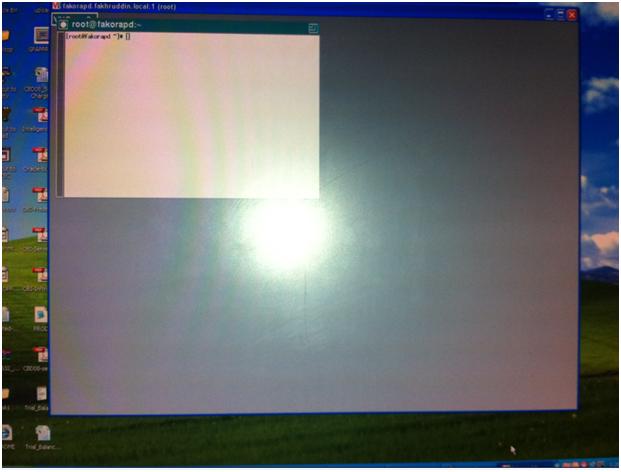
after that you will be able to see color ful desktop of linux server as below.

Wednesday, September 21, 2011

TNS Listener Fails To Start With Errors: TNS-12537...Error: 29: Illegal seek

Today when i am trying to start listener on linux server then received following error message
Linux: 5.1 and oracle version: 10.2.0.4.0


LSNRCTL> status
Connecting to (DESCRIPTION=(ADDRESS=(PROTOCOL=TCP)(HOST=spioradg.sterling.local)                                                                              (PORT=1521)))
TNS-12541: TNS:no listener
 TNS-12560: TNS:protocol adapter error
  TNS-00511: No listener
   Linux Error: 111: Connection refused
Connecting to (DESCRIPTION=(ADDRESS=(PROTOCOL=IPC)(KEY=EXTPROC0)))
TNS-12541: TNS:no listener
 TNS-12560: TNS:protocol adapter error
  TNS-00511: No listener
   Linux Error: 111: Connection refused

then check searched on google and metalink and found below solution:

add the following  lines in listener.ora file.

SUBSCRIBE_FOR_NODE_DOWN_EVENT_LISTENER=OFF

NOTE: replace the above bold and underline line with actual name of listener.
Default listener name is : LISTENER

after that i successfully able to start listener.
 
LSNRCTL> start
Starting /db/app/oracle/Db_1/bin/tnslsnr: please wait...

TNSLSNR for Linux: Version 10.2.0.4.0 - Production
System parameter file is /db/app/oracle/Db_1/network/admin/listener.ora
Log messages written to /db/app/oracle/Db_1/network/log/listener.log
Listening on: (DESCRIPTION=(ADDRESS=(PROTOCOL=tcp)(HOST=spioradg.sterling.local)                                                                              (PORT=1521)))
Listening on: (DESCRIPTION=(ADDRESS=(PROTOCOL=ipc)(KEY=EXTPROC0)))

Connecting to (DESCRIPTION=(ADDRESS=(PROTOCOL=TCP)(HOST=spioradg.sterling.local)                                                                              (PORT=1521)))
STATUS of the LISTENER
------------------------
Alias                     LISTENER
Version                   TNSLSNR for Linux: Version 10.2.0.4.0 - Production
Start Date                21-SEP-2011 14:26:05
Uptime                    0 days 0 hr. 0 min. 0 sec
Trace Level               off
Security                  ON: Local OS Authentication
SNMP                      OFF
Listener Parameter File   /db/app/oracle/Db_1/network/admin/listener.ora
Listener Log File         /db/app/oracle/Db_1/network/log/listener.log
Listening Endpoints Summary...
  (DESCRIPTION=(ADDRESS=(PROTOCOL=tcp)(HOST=spioradg.sterling.local)(PORT=1521))                                                                              )
  (DESCRIPTION=(ADDRESS=(PROTOCOL=ipc)(KEY=EXTPROC0)))
Services Summary...
Service "PLSExtProc" has 1 instance(s).
  Instance "PLSExtProc", status UNKNOWN, has 1 handler(s) for this service...
The command completed successfully

Saturday, September 17, 2011

Enable auditing for SYSDBA (sys) user in 11gr2

Database security is one of the major and important task for DBA's. ,
this article is basic of enabling auditing for SYS administrative user.

1. How to enable AUDIT for sys administrative user.

Step:
1. logon to database with sysdba user
2. set AUDIT_SYS_OPERATIONS parameter (mandatory) to TRUE
default value of this parameter is FALSE
This parameter is static means we required to bounce DATABASE to take effect of this parameter value.

3. set AUDIT_TRAIL parameter as per desired value.
default value of this parameter is none

4. set AUDIT_FILE_DEST = location path for audit records log file 
default value of this parameter %ORACLE_BASE%/ORACLE_SID/adump
IF AUDIT_FILE_DEST parameter doesn't set or not point to valid directory then oracle will create audit file in %ORACLE_HOME%/rdbms/audit directory.

5. restart database

6. Setting the size or age of the operating system audit files


Example:
[oracle@recovery bin]$ ./sqlplus / as sysdba

SQL*Plus: Release 11.2.0.1.0 Production on Sat Sep 17 21:46:36 2011

Copyright (c) 1982, 2009, Oracle.  All rights reserved.


Connected to:
Oracle Database 11g Enterprise Edition Release 11.2.0.1.0 - Production
With the Partitioning, OLAP, Data Mining and Real Application Testing options

SQL> alter system set audit_sys_operations=TRUE scope=spfile;

System altered.

SQL> alter system set audit_trail='DB' scope=spfile;

System altered.

SQL> alter system set audit_file_dest='/db/admin/oramfe/adump/' scope=spfile;

System altered.

SQL> shutdown immediate
Database closed.
Database dismounted.
ORACLE instance shut down.

SQL> startup
ORACLE instance started.

Total System Global Area 2042241024 bytes
Fixed Size                  1337548 bytes
Variable Size             973080372 bytes
Database Buffers         1056964608 bytes
Redo Buffers               10858496 bytes
Database mounted.
Database opened.
SQL> host ls -lrt /db/admin/oramfe/adump/
total 32
-rw-rw---- 1 oracle oracle 2585 Sep 17 21:48 oramfe_ora_12487_1.aud
-rw-rw---- 1 oracle oracle  750 Sep 17 21:48 oramfe_ora_12500_2.aud
-rw-rw---- 1 oracle oracle 1451 Sep 17 21:50 oramfe_ora_12602_1.aud
-rw-rw---- 1 oracle oracle  980 Sep 17 21:51 oramfe_ora_12671_1.aud

SQL> host cat /db/admin/oramfe/adump/oramfe_ora_12671_1.aud
Audit file /db/admin/oramfe/adump/oramfe_ora_12671_1.aud
Oracle Database 11g Enterprise Edition Release 11.2.0.1.0 - Production
With the Partitioning, OLAP, Data Mining and Real Application Testing options
ORACLE_HOME = /db/product/11.2.0/dbhome_1/
System name:    Linux
Node name:      recovery.fakhruddin.local
Release:        2.6.18-53.el5
Version:        #1 SMP Wed Oct 10 16:34:02 EDT 2007
Machine:        i686
Instance name: oramfe
Redo thread mounted by this instance: 1
Oracle process number: 20
Unix process pid: 12671, image: oracle@recovery.fakhruddin.local (TNS V1-V3)

Sat Sep 17 21:50:07 2011 +04:00
LENGTH : '160'
ACTION :[7] 'CONNECT'
DATABASE USER:[1] '/'
PRIVILEGE :[6] 'SYSDBA'
CLIENT USER:[6] 'oracle'
CLIENT TERMINAL:[5] 'pts/0'
STATUS:[1] '0'
DBID:[10] '3012735072'

Sat Sep 17 21:51:21 2011 +04:00
LENGTH : '173'
ACTION :[19] 'ALTER DATABASE OPEN'
DATABASE USER:[1] '/'
PRIVILEGE :[6] 'SYSDBA'
CLIENT USER:[6] 'oracle'
CLIENT TERMINAL:[5] 'pts/0'
STATUS:[1] '0'
DBID:[10] '3012735072'

On windows platform the audit records will captured in the event viewer log file.

start --->> control penals >>> administrative tools >>> event viewer >>>> application log


Monday, September 12, 2011

ORA-09817: Write to audit file failed. Linux Error: 28: No space left on device

Today while try to logging with our development box got below error message
-bash-3.00$ sqlplus /nolog

SQL*Plus: Release 10.2.0.5.0 - Production on Mon Sep 12 15:19:38 2011

Copyright (c) 1982, 2010, Oracle.  All Rights Reserved.

SQL> conn / as sysdba
ERROR:
ORA-09817: Write to audit file failed.
Linux Error: 28: No space left on device
ORA-01075: you are currently logged on


SQL> --reason as mentioned above "Linux Error : 28 : No Space left on device"...

SQL> --solution: make some free space on file system.
SQL> exit
-bash-3.00$ df -h
Filesystem            Size  Used Avail Use% Mounted on
/dev/mapper/VolGroup00-LogVol00
                      145G  138G     0 100% /
/dev/sda1              99M   13M   82M  14% /boot
none                 1010M     0 1010M   0% /dev/shm

Friday, February 18, 2011

Samba Configuration --- Linux Directory access from windows

Dear All,
Kindly go through the below mentioned site

http://www.computernetworkingnotes.com/rhce_certification/samba_server.htm

step
1. install rpm package for smb (samba)
2. edit smb.conf (path= /etc/samba/smb.conf)
and add the directory name and user which you want to share
3. create same user as windows who access the directory from windows.
for example: windows user is "admin" which will access the linux shared directory.
then we need to create the same user in linux server also with the same password.

4. add user to smb
$smbpasswd -a [username]

5. restart smb services
$service smb restart
or
$service /sbin/samba/smb restart

Friday, January 14, 2011

-bash: /bin/rm: Argument list too long

This is a common error while trying to delete files from directory in the LINUX OS.


[oracle@xxxora bdump]$ rm -rf *.trc
-bash: /bin/rm: Argument list too long

Error
-bash: /bin/rm: Argument list too long


Solution
Use the find and xargs commands to remove the existing files


[oracle@xxxora bdump]$ find . -name 'orcl*.trc' | xargs rm
[oracle@xxxora bdump]$ dir
alert_orcl.log
[oracle@xxxora bdump]$

Friday, January 7, 2011

10gr2 installation failed on rhel 5

Clause: Oracle10gR2 (10.2) was released before RHEL5, so the base installation media does not make provision for installing on RHEL5.

When trying to install the Oracle10gR2 (10.2) software on a Red Hat Enterprise Linux release 5 (RHEL5) server, the prerequisite checks fail.


Solution:

run the runInstaller with ignorePrereqs check

$ ./runInstaller -ignoreSysPrereqs

For more info: check metalink note: [ID 456634.1]

libXp.so.6: cannot open shared object file: No such file or directory

during the installation oracle 1ogr2 (10.2.1.0) on linux rhel 5.2 (hp dl 380 g7 machine) getting the following error

libXp.so.6: cannot open shared object file: No such file or directory

while running runInstaller

Solution:
Download and installed the following rpm package after that re-run "runInstaller".


rpm -ivh libXau-devel-1.0.1-3.1.i386.rpm
rpm -ivh libXp-1.0.0-8.i386.rpm
rpm -ivh libXp-devel-1.0.0-8.i386.rpm

Wednesday, December 8, 2010

error while loading shared libraries:

[oraprod@fakprotest bin]$ ./sqlplus /nolog
./sqlplus: error while loading shared libraries: /home/oraprod/app/oraprod/product/11.1.0/db_3/lib/libnnz11.so: cannot restore segment prot after reloc: Permission denied

during the installation of 11gr1 on redhat 5.

after that successful installation and database creation while i was trying to connect to database through "sqlplus" that time i got the above mention error.

Kindly find the below solution ( what is the reason for that issue don't know, need to findout).
connect with ROOT user and execute the following command.


#] /usr/sbin/setenforce 0

Friday, July 17, 2009

-bash: /bin/rm: Argument list too long


In our production box while cleaning the archivelog file (manually) I received the below error and not able to delete , even though it is not related to oracle error but linux so worth to post in blog.

[oracle@PROD PROD_archivelog1]$ rm -rf *.dbf
-bash: /bin/rm: Argument list too long

Reason:
[oracle@PROD PROD_archivelog1]$ du -h
50G .
becuase folder size is too big (50gb) that is why system is not allowing to delete.

Solution: found on google :)
[oracle@PROD PROD_archivelog1]$ find . -name '*.dbf' | xargs rm
Source:http://www.simplehelp.net/2009/02/18/linux-tip-overcoming-the-binrm-argument-list-too-long-error/

Result:
[oracle@PROD PROD_archivelog1]$ du -sh
5.5M .

ORA-3136 WARNING : Inbound Connection Timed Out in alert log


In our one of the production database is saw the following error

ORA-3136 WARNING : Inbound Connection Timed Out in alert log

Solution:
SQLNET.INBOUND_CONNECT_TIMEOUT=60

Add the above line in the SQLNET.ORA in SERVER.

INBOUND_CONNECT_TIMEOUT_LISTENER = 110
Add the above line in the LISTENER.ORA in SERVER.


Reference metalink note: 793259.1 & 465043.1

Saturday, February 2, 2008

DBCA is not working in linux.

[oracle@localhost bin]# ./dbca
Exception in thread "main" java.lang.NullPointerException
at oracle.sysman.assistants.util.NetworkUtils.getOneLocalListenerProtoco
lAddress(NetworkUtils.java:2481)
at oracle.sysman.assistants.util.NetworkUtils.getOneLocalListenerProtoco
lAddress(NetworkUtils.java:2585)
at oracle.sysman.assistants.util.NetworkUtils.getOneLocalListenerProtoco
lAddress(NetworkUtils.java:2577)
at oracle.sysman.assistants.util.NetworkUtils.getOneLocalListenerProtoco
lAddress(NetworkUtils.java:2569)
at oracle.sysman.assistants.util.NetworkUtils.getOneLocalListenerProtoco
lAddress(NetworkUtils.java:2390)
at oracle.sysman.assistants.util.NetworkUtils.getOneLocalListenerProtoco
lAddress(NetworkUtils.java:2360)
at oracle.sysman.assistants.util.NetworkUtils.getLocalListenerAddress(Ne
tworkUtils.java:844)
at oracle.sysman.assistants.util.NetworkUtils.getLocalListenerAddresses(
NetworkUtils.java:881)
at oracle.sysman.assistants.util.NetworkUtils.needLocalListener(NetworkU
tils.java:820)
at oracle.sysman.assistants.util.step.StepContext.setListenersToUpdate(S
tepContext.java:634)
at oracle.sysman.assistants.util.step.StepContext.(StepContext.jav
a:250)
at oracle.sysman.assistants.dbca.backend.Host.(Host.java:608)
at oracle.sysman.assistants.dbca.ui.UIHost.(UIHost.java:200)
at oracle.sysman.assistants.dbca.ui.InteractiveHost.(InteractiveHo
st.java:54)
at oracle.sysman.assistants.dbca.Dbca.getHost(Dbca.java:155)
at oracle.sysman.assistants.dbca.Dbca.execute(Dbca.java:93)
at oracle.sysman.assistants.dbca.Dbca.main(Dbca.java:175)


solution: Note:353629.1

Tuesday, September 18, 2007

Oracle Enterprise Linux Certified Administrator

Oracle University is very excited to announce a new Linux System Administrator certification track based upon Enterprise Linux. The new track will consist of OCA and OCP levels that will closely map to Oracle's new Linux training offerings.
To become certified, candidates must demonstrate a high level of proficiency with Enterprise Linux including:

System administration
Networking
Security

At the OCP level the required exams will consist largely of performance-based,hands-on exercises and scenarios. Potential candidates

Oracle Certified Professional


Enterprise Linux Fundamentals
1Z0-402
OR CERTIFICATION


1Z0-403
Enterprise Linux System Administration
Release date TBD

Thursday, February 22, 2007

ORA-600

Startup Database Produces
Ora-00600: [Keltnfy-Ldminit]


Check Metalink Note : Note:336447.1

Hope this helps
Taj

Tuesday, February 13, 2007

Manually database creation on linux

[oracle@alwarid-taj /]$ cd /home/oracle/oracle/product/10.2.0/db_1/bin
[oracle@alwarid-taj bin]$ ./dbca


#$#$#$##$$####################################$#$#$#$#$#$#$##########$$$$$$$$$$$$$$$$$$$$$$$$$$$


[oracle@alwarid-taj /]$ cd /home/oracle/oracle/product/10.2.0/db_1/admin/orcl/scripts
[oracle@alwarid-taj scripts]$ ls
cloneDBCreation.sql initorclTemp.ora postDBCreation.sql
CloneRmanRestore.sql orcl.sh postScripts.sql
init.ora orcl.sql rmanRestoreDatafiles.sql
[oracle@alwarid-taj scripts]$


[oracle@alwarid-taj scripts]$ pwd
/home/oracle/oracle/product/10.2.0/db_1/admin/orcl/scripts

[oracle@alwarid-taj scripts]$ cat orcl.sh
#!/bin/sh

mkdir -p /home/oracle/oracle/product/10.2.0/db_1/admin/orcl/adump
mkdir -p /home/oracle/oracle/product/10.2.0/db_1/admin/orcl/bdump
mkdir -p /home/oracle/oracle/product/10.2.0/db_1/admin/orcl/cdump
mkdir -p /home/oracle/oracle/product/10.2.0/db_1/admin/orcl/dpdump
mkdir -p /home/oracle/oracle/product/10.2.0/db_1/admin/orcl/pfile
mkdir -p /home/oracle/oracle/product/10.2.0/db_1/admin/orcl/udump
mkdir -p /home/oracle/oracle/product/10.2.0/db_1/cfgtoollogs/dbca/orcl
mkdir -p /home/oracle/oracle/product/10.2.0/db_1/dbs
mkdir -p /home/oracle/oracle/product/10.2.0/db_1/flash_recovery_area
mkdir -p /home/oracle/oracle/product/10.2.0/db_1/oradata/orcl
ORACLE_SID=orcl; export ORACLE_SID
echo You should Add this entry in the /etc/oratab: orcl:/home/oracle/oracle/product/10.2.0/db_1:Y/home/oracle/oracle/product/10.2.0/db_1/bin/sqlplus /nolog @/home/oracle/oracle/product/10.2.0/db_1/admin/orcl/scripts/orcl.sql


[oracle@alwarid-taj scripts]$ ./orcl.sh
You should Add this entry in the /etc/oratab: orcl:/home/oracle/oracle/product/10.2.0/db_1:Y
Error 6 initializing SQL*Plus
Message file sp1.msb not found
SP2-0750: You may need to set ORACLE_HOME to your Oracle software directory
[oracle@alwarid-taj scripts]$ export ORACLE_HOME=/home/oracle/oracle/product/10.2.0/db_1


Thursday, February 8, 2007

Install Oracle 10gr2 on Linux Version 4

Logging In to the System as root
For X windows system.
For LOCAL Machine
# xterm


For Remote Machine
# xhost fully_qualified_remote_host_name

Hardware Requirements
1.At least 1024 MB of physical RAM
2.swap space
Up to 1024 MB-----------> 2 times the size of RAM
Between 1025 MB-----------> and 2048 MB 1.5 times the size of RAM
Between 2049 MB and 8192 MB-----------> Equal to the size of RAM
More than 8192 MB-----------> 0.75 times the size of RAM

Add SWAP SPACE is NECCESSARY.#we have two option 1.swap partition 2.swap file
#On my example i am choose second option for increase swap space.

ADD SWAP FILE
1.Determine the size of the new swap file and multiple by 1024 to determine the block size. For example, the block size of a 64 MB swap file is 65536.
count being equal to the desired block size:

linux@oracle]# dd if=/dev/zero of=/swapfile bs=1024 count=65536
linux@oracle]# mkswap /swapfile #setup swap file.
linux@oracle]# swapon /swapfile #enable swap file.
edit /etc/fstab to include:
/swapfile swap swap defaults 0 0 #enable for boot time.
linux@oracle]# cat /proc/swaps or free # check swap size is add or not.

3.TEMP space
400 MB of disk space in the /tmp directory
4.DISK space
3.5 GB + 1.2 GB optional

Check above requirements.
1.RAM size.
# grep MemTotal /proc/meminfo

2.SWAP size
# grep SwapTotal /proc/meminfo

3.TEMP size
# df -k /tmp

4.DISK size
# df -k

5.System Architecture
# grep "model name" /proc/cpuinfo

Software Requirements
OPERATING SYSTEM
Red Hat Enterprise Linux AS/ES 3.0 (Update 4 or later)
Red Hat Linux 4.0
Which Version is install.
linux@oracle]# cat /etc/issue


KERNEL VERSION
Red Hat Enterprise Linux 3.0 and Asianux 1.0:
2.4.21-27.EL
Note: This is the default kernel version.

Red Hat Enterprise Linux 4.0 and Asianux 2.0:
2.6.9-5.EL

Kernel is install.
linux@oracle]# uname -r

[root@alwarid-taj ~]# uname -r
2.6.9-34.ELsmp


PACKAGES
Red Hat Enterprise Linux 3.0 and Asianux 1.0:
make-3.79.1
gcc-3.2.3-34
glibc-2.3.2-95.20
compat-db-4.0.14-5
compat-gcc-7.3-2.96.128
compat-gcc-c++-7.3-2.96.128
compat-libstdc++-7.3-2.96.128
compat-libstdc++-devel-7.3-2.96.128
openmotif21-2.1.30-8
setarch-1.3-1


Red Hat Enterprise Linux 4.0 and Asianux 2.0:
binutils-2.15.92.0.2-13.EL4
compat-db-4.1.25-9
compat-libstdc++-296-2.96-132.7.2
control-center-2.8.0-12
gcc-3.4.3-22.1.EL4
gcc-c++-3.4.3-22.1.EL44
glibc-2.3.4-2.9
glibc-common-2.3.4-2.9
gnome-libs-1.4.1.2.90-44.1
libstdc++-3.4.3-22.1
libstdc++-devel-3.4.3-22.1
make-3.80-5
pdksh-5.2.14-30
sysstat-5.0.5-1
xscreensaver-4.18-5.rhel4.2
setarch-1.6-1

Packages is install.
linux@oracle]# rpm -q package_name


Operating System Groups and Users

The Oracle Inventory group (oinstall)
linux@oracle]# more /etc/oraInst.loc
linux@oracle]#grep oinstall /etc/group
if group is not exists then create.
linux@oracle]# /usr/sbin/groupadd oinstall

The OSDBA group (dba)
linux@oracle]# grep dba /etc/group
if group is not exists then create.
linux@oracle]# /usr/sbin/groupadd dba

The Oracle software owner (oracle)
linux@oracle]# id oracle
if exists output like
uid=440(oracle) gid=200(oinstall) groups=201(dba),202(oper)
if oracle user not exists then create first with below command
linux@oracle]# /usr/sbin/useradd -g oinstall -G dba oracle

after add oracle user to oinstall or dba group with below command
linux@oracle]# /usr/sbin/usermod -g oinstall -G dba oracle

Set password
linux@oracle]# passwd oracle

Configuring Kernel Parameters
Set to values greater than or equal to the recommended value shown in below table.

kernel.shmall = 2097152 ## /sbin/sysctl -a | grep shm
kernel.shmmax = 2147483648 ## /sbin/sysctl -a | grep shm
kernel.shmmni = 4096 ## /sbin/sysctl -a | grep shm
kernel.sem = 250 32000 100 128 ## /sbin/sysctl -a | grep sem
fs.file-max = 65536 ## /sbin/sysctl -a | grep file-max
net.ipv4.ip_local_port_range = 1024 65000 ## /sbin/sysctl -a | grep ip_local_port_range
net.core.rmem_default = 1048576 ## /sbin/sysctl -a | grep rmem_default
net.core.rmem_max = 1048576 ## /sbin/sysctl -a | grep rmem_max
net.core.wmem_default = 262144 ## /sbin/sysctl -a | grep wmem_default
net.core.wmem_max = 262144 ## /sbin/sysctl -a | grep wmem_max

Note By specifying the values in the /etc/sysctl.conf file, they persist when you restart the system.

linux@oracle]# vi /etc/sysctl.conf
#press i and set above parameters as minimum requirements.
#for file close
Shift+ZZ

Example :
kernel.shmall = 2097152
kernel.shmmax = 2147483648
kernel.shmmni = 4096
kernel.sem = 250 32000 100 128
fs.file-max = 65536
net.ipv4.ip_local_port_range = 1024 65000
net.core.rmem_default = 1048576
net.core.rmem_max = 1048576
net.core.wmem_default = 262144
net.core.wmem_max = 262144


Restart Machine.

Creating Required Directories
About Mounted File System.
linux@oracle]# df -h

Create Directory and grant required privs.
linux@oracle]# mkdir -p /mount_point/app/oracle_sw_owner
linux@oracle]# chown -R oracle:oinstall /mount_point/app/oracle_sw_owner
linux@oracle]# chmod -R 775 /mount_point/app/oracle_sw_owner

Configuring the oracle User's Environment
For Oracle Universal Installer
Default SHELL for Oracle User.
linux@oracle]# su - oracle
linux@oracle]$ echo $SHELL
linux@oracle]$ vi .bash_profile
Add umask 022 in .bash_profile.
save and close
Set the default file mode creation mask (umask) to 022 in the shell startup file.

Run Shell Startup Script
linux@oracle]$ . ./.bash_profile


[oracle@alwarid-taj ~]$ umask
0022
[oracle@alwarid-taj ~]$

Set the DISPLAY environment variable.
linux@oracle]$ DISPLAY=local_host:0.0; export DISPLAY
eg: DISPLAY=127.0.0.1:0.0; export DISPLAY------>local host.
DISPLAY=192.168.100.239; export DISPLAY---->IP address

UNSET ORACLE_HOME or TNS_ADMIN variable.
linux@oracle]$ unset ORACLE_HOME
linux@oracle]$ unset TNS_ADMIN

Verify ENVIRONMENT VARIABLE SET CORRECTLY.
linux@oracle]$ umask
linux@oracle]$ env | more
[root@alwarid-taj ~]# su - oracle
[oracle@alwarid-taj ~]$ env | more
HOSTNAME=alwarid-taj
SHELL=/bin/bash
TERM=xterm
HISTSIZE=1000
USER=oracle
LS_COLORS=no=00:fi=00:di=00;34:ln=00;36:pi=40;33:so=00;35:bd=40;33;01:cd=40;33;01:or=01;05;37;41:mi=01;05;37;41:ex=00;32:*.cmd=00;32:*.exe=00;32:*.com=00;32:*.btm=00;32:*.bat=00;32:*.sh=00;32:*.csh=00;32:*.tar=00;31:*.tgz=00;31:*.arj=00;31:*.taz=00;31:*.lzh=00;31:*.zip=00;31:*.z=00;31:*.Z=00;31:*.gz=00;31:*.bz2=00;31:*.bz=00;31:*.tz=00;31:*.rpm=00;31:*.cpio=00;31:*.jpg=00;35:*.gif=00;35:*.bmp=00;35:*.xbm=00;35:*.xpm=00;35:*.png=00;35:*.tif=00;35:
KDEDIR=/usr
MAIL=/var/spool/mail/oracle
PATH=/usr/kerberos/bin:/usr/local/bin:/bin:/usr/bin:/usr/X11R6/bin:/home/oracle/bin
INPUTRC=/etc/inputrc
PWD=/home/oracle
LANG=en_US.UTF-8
SSH_ASKPASS=/usr/libexec/openssh/gnome-ssh-askpass
SHLVL=1
HOME=/home/oracle
LOGNAME=oracle
LESSOPEN=|/usr/bin/lesspipe.sh %s
DISPLAY=:0.0
G_BROKEN_FILENAMES=1
XAUTHORITY=/root/.Xauthority
_=/bin/env
[oracle@alwarid-taj ~]$


Mounting the Product Disc
linux@oracle]$ eject /mnt/dvd #eject disc from drive.
linux@oracle]$ ls /mnt/dvd #verify disc mounted automatically.
linux@oracle]$ mount -t iso9660 /dev/dvd /mnt/dvd #display contents of the disc.

Installing Oracle Database
linux@oracle]$ /mount_point/db/runInstaller

[root@alwarid-taj ~]# su - oracle
[oracle@alwarid-taj ~]$ unset TNS_ADMIN
[oracle@alwarid-taj ~]$ unset ORACLE_HOME
[oracle@alwarid-taj ~]$ export DISPLAY=127.0.0.1:0.0;
[oracle@alwarid-taj ~]$ media/cdrecorder/database/runInstaller
-bash: media/cdrecorder/database/runInstaller: No such file or directory
[oracle@alwarid-taj ~]$ cd ..
[oracle@alwarid-taj home]$ cd ..
[oracle@alwarid-taj /]$ media/cdrecorder/database/runInstaller
Starting Oracle Universal Installer...

Checking installer requirements...

Checking operating system version: must be redhat-3, SuSE-9, redhat-4, UnitedLinux-1.0, asianux-1 or asianux-2
Passed


All installer requirements met.

Preparing to launch Oracle Universal Installer from /tmp/OraInstall2007-02-12_12-21-08PM. Please wait ...[oracle@alwarid-taj /]$ Exception in thread "main" java.lang.InternalError: Can't connect to X11 window server using '127.0.0.1:0.0' as the value of the DISPLAY variable.
at sun.awt.X11GraphicsEnvironment.initDisplay(Native Method)
at sun.awt.X11GraphicsEnvironment.(Unknown Source)
at java.lang.Class.forName0(Native Method)
at java.lang.Class.forName(Unknown Source)
at java.awt.GraphicsEnvironment.getLocalGraphicsEnvironment(Unknown Source)
at java.awt.Window.init(Unknown Source)
at java.awt.Window.(Unknown Source)
at java.awt.Frame.(Unknown Source)
at oracle.ewt.popup.PopupFrame.(Unknown Source)
at oracle.ewt.lwAWT.BufferedFrame.(Unknown Source)
at oracle.sysman.oio.oioc.OiocOneClickInstaller.(OiocOneClickInstaller.java:378)
at oracle.sysman.oio.oioc.OiocOneClickInstaller.main(OiocOneClickInstaller.java:2091)

[oracle@alwarid-taj /]$

===================================================================
[oracle@alwarid-taj /]$ xhost +
xhost: unable to open display "127.0.0.1:0.0"
===============================================
[oracle@alwarid-taj /]$ who am i
root pts/1 Feb 12 12:16 (:0.0)

[oracle@alwarid-taj /]$ echo you have to LOGOUT ROOT user and LOGON ORACLE user.through GUI not just "su" command.
you have to LOGOUT ROOT user and LOGON ORACLE user.through GUI not just su command.
=================================================================================
[oracle@alwarid-taj ~]$ who am i
oracle pts/1 Feb 12 12:30 (:0.0)

[oracle@alwarid-taj ~]$ export DISPLAY=127.0.0.1:0.0;
[oracle@alwarid-taj ~]$ cd ..
[oracle@alwarid-taj home]$ cd //
[oracle@alwarid-taj //]$ cd ..
[oracle@alwarid-taj //]$ media/cdrecorder/database/runInstaller
Starting Oracle Universal Installer...

Checking installer requirements...

Checking operating system version: must be redhat-3, SuSE-9, redhat-4, UnitedLinux-1.0, asianux-1 or asianux-2
Passed


All installer requirements met.

Preparing to launch Oracle Universal Installer from /tmp/OraInstall2007-02-12_12-37-20PM. Please wait ...[oracle@alwarid-taj //]$ Exception in thread "main" java.lang.InternalError: Can't connect to X11 window server using '127.0.0.1:0.0' as the value of the DISPLAY variable.
at sun.awt.X11GraphicsEnvironment.initDisplay(Native Method)
at sun.awt.X11GraphicsEnvironment.(Unknown Source)
at java.lang.Class.forName0(Native Method)
at java.lang.Class.forName(Unknown Source)
at java.awt.GraphicsEnvironment.getLocalGraphicsEnvironment(Unknown Source)
at java.awt.Window.init(Unknown Source)
at java.awt.Window.(Unknown Source)
at java.awt.Frame.(Unknown Source)
at oracle.ewt.popup.PopupFrame.(Unknown Source)
at oracle.ewt.lwAWT.BufferedFrame.(Unknown Source)
at oracle.sysman.oio.oioc.OiocOneClickInstaller.(OiocOneClickInstaller.java:378)
at oracle.sysman.oio.oioc.OiocOneClickInstaller.main(OiocOneClickInstaller.java:2091)

[oracle@alwarid-taj //]$

We have to first configur xhost + command in oracle user evniourments.
[oracle@alwarid-taj //]$ export DISPLAY=127.0.0.1:0.0;
[oracle@alwarid-taj //]$ xhost +
xhost: unable to open display "127.0.0.1:0.0"

Know set DISPLAY like DISPLAY=:0.0;
[oracle@alwarid-taj //]$ export DISPLAY=:0.0;
[oracle@alwarid-taj //]$ xhost +
access control disabled, clients can connect from any host
[oracle@alwarid-taj //]$ media/cdrecorder/database/runInstaller
Starting Oracle Universal Installer...

Checking installer requirements...

Checking operating system version: must be redhat-3, SuSE-9, redhat-4, UnitedLinux-1.0, asianux-1 or asianux-2
Passed


All installer requirements met.

Preparing to launch Oracle Universal Installer from /tmp/OraInstall2007-02-12_12-41-21PM. Please wait ...[oracle@alwarid-taj //]$

On Installation first windows you have to give "sys , system, sysman or dbsnmp" users password.
must sure UNIX DBA GROUP >>>> oinstall <<<<
>>>next
On second windows must sure inventory directory select like.
/home/oracle/oraInventory
or on specify oracle group select >>>oinstall<<<<
>>>next
On Product specific prerequistic checks
=======================================================================

Checking operating system package requirements ...
Checking for make-3.79; found make-1:3.80-5. Passed
Checking for binutils-2.14; found binutils-2.15.92.0.2-18. Passed
Checking for gcc-3.2; found Not found. Failed <<<<
Checking for libaio-0.3.96; found libaio-0.3.105-2. Passed
Check complete. The overall result of this check is: Failed <<<<
Problem: Some packages required for the Oracle Database 10g to function properly are missing (see above).
Recommendation: Install the required packages before continuing with the installation.
=======================================================================

Checking kernel parameters
Checking for semmsl=250; found semmsl=250. Passed
Checking for semmns=32000; found semmns=32000. Passed
Checking for semopm=100; found semopm=100. Passed
Checking for semmni=128; found semmni=128. Passed
Checking for shmmax=536870912; found shmmax=2147483648. Passed
Checking for shmmni=4096; found shmmni=4096. Passed
Checking for shmall=2097152; found shmall=2097152. Passed
Checking for file-max=65536; found file-max=65536. Passed
Checking for VERSION=2.4.21; found VERSION=2.6.9-34.ELsmp. Passed
Checking for ip_local_port_range=1024 - 65000; found ip_local_port_range=1024 - 65000. Passed
Checking for rmem_default=262144; found rmem_default=1048576. Passed
Checking for rmem_max=262144; found rmem_max=1048576. Passed
Checking for wmem_default=262144; found wmem_default=262144. Passed
Checking for wmem_max=262144; found wmem_max=262144. Passed
Check complete. The overall result of this check is: Passed
=======================================================================

Checking Recommended glibc version
Expected result: ATLEAST=2.3.2-95.27
Actual Result: 2.3.4-2.19
Check complete. The overall result of this check is: Passed
=======================================================================

Checking physical memory requirements ...
Expected result: 922MB
Actual Result: 992MB
Check complete. The overall result of this check is: Passed
=======================================================================

Checking available swap space requirements ...
Expected result: 1488MB
Actual Result: 0MB
Check complete. The overall result of this check is: Failed <<<<
Problem: The system does not have the required swap space.
Recommendation: Make more swap space available to perform the install.
=======================================================================

Checking Network Configuration requirements ...
Check complete. The overall result of this check is: Failed <<<<
Problem: The install has detected that the primary IP address of the system is DHCP-assigned.
Recommendation: Oracle supports installations on systems with DHCP-assigned public IP addresses. However, the primary network interface on the system should be configured with a static IP address in order for the Oracle Software to function properly. See the Installation Guide for more details on installing the software on systems configured with DHCP.
=======================================================================

Validating ORACLE_BASE location (if set) ...
Check complete. The overall result of this check is: Passed
=======================================================================

Checking Oracle Home path for spaces...
Check complete. The overall result of this check is: Passed
=======================================================================

Checking for proper system clean-up....
Check complete. The overall result of this check is: Passed
=======================================================================

Checking for Oracle Home incompatibilities ....
Actual Result: NEW_HOME
Check complete. The overall result of this check is: Passed
=======================================================================

[oracle@alwarid-taj ~]$ rpm -q gcc-3.2
package gcc-3.2 is not installed
[oracle@alwarid-taj ~]$ echo Go Application ---- System Settings --- Add/Remove Applications
Go Application ---- System Settings --- Add/Remove Applications
On Add/Remove Application Windows Choose "Development" Tag and do check mark on "Development Tools" ---> Click on UPDATE button bottom on current page.
You have to give Installation CD's 3.for install requried packages.

[oracle@alwarid-taj /]$ rpm -q gcc
gcc-3.4.5-2


Checking Network Configuration requirements ...
Go Application ----> System Settings ----> NETWORK
On Network Windows CLICK ON edit tag.
set STATICALLY set IP ADDRESS
ADDRESS 192.168.100.252
SUBNET MASK 255.255.255.0
or
edit HOSTS tags on Main windows and give your HOSTNAME.

>>>ACTIVATE<<<< click on main page.
or
edit "/etc/hosts" FILE LIKE

[root@alwarid-taj ~]# cat /etc/hosts
# Do not remove the following line, or various programs
# that require network functionality will fail.
192.168.100.252 alwarid-taj
127.0.0.1 localhost.localdomain localhost

[root@alwarid-taj ~]# hostname
alwarid-taj
[root@alwarid-taj ~]# ping 192.168.100.252
PING 192.168.100.252 (192.168.100.252) 56(84) bytes of data.
64 bytes from 192.168.100.252: icmp_seq=0 ttl=64 time=0.085 ms
64 bytes from 192.168.100.252: icmp_seq=1 ttl=64 time=0.054 ms
64 bytes from 192.168.100.252: icmp_seq=2 ttl=64 time=0.053 ms

--- 192.168.100.252 ping statistics ---
3 packets transmitted, 3 received, 0% packet loss, time 2001ms
rtt min/avg/max/mdev = 0.053/0.064/0.085/0.014 ms, pipe 2
[root@alwarid-taj ~]#

Add swap space.
Assume "/dev/hda5" in the swap parition we want to add.
Must sure
1.hard drive cann't be in use.
2.swap space cann't be enabled.

suggestion.
1.unmount parition
2.disable swap parition.

[root@alwarid-taj dev]# parted /dev/hda5
GNU Parted 1.6.19
Copyright (C) 1998 - 2004 Free Software Foundation, Inc.
This program is free software, covered by the GNU General Public License.

This program is distributed in the hope that it will be useful, but WITHOUT ANY
WARRANTY; without even the implied warranty of MERCHANTABILITY or FITNESS FOR A
PARTICULAR PURPOSE. See the GNU General Public License for more details.

Using /dev/hda5
(parted) print
Disk geometry for /dev/hda5: 0.000-19100.689 megabytes
Disk label type: loop
Minor Start End Filesystem Flags
1 0.000 19100.689 ext3
here you have to create swap parition if free space available.

[root@alwarid-taj ~]# grep SwapTotal /proc/meminfo
SwapTotal: 2152668 kB


If we are not run ABOVE scripts then you received below error.


During Installation you have to run two scirpt as ROOT USERS.
open new terminal ( right click on disktop and new terminal)


Recommended Postinstallation Tasks

Creating a Backup of the root.sh Script


When upgrade or configure new database. run UTLRP.SQL script.


Setting the NLS_LANG Environment Variable


Ususal We are getting during EXPORT operation EXP-00091 error.
because of LINUX use US7ASCII or Oracle Database running WE8ISO8859P1.

For that we should set NLS_LANG in user default profile.


[oracle@localhost ~]$ . ./.bash_profile


Generating the Client Static Library